
Surplus Inventory Instructions
How to Transfer Items to Surplus
Navigate to the Property Inventory System
- Go to Raiderlink
- Log into Raiderlink using your TTU credentials
- Select A&F Work Tools
- Select, Property Inventory System which is located under the Finance and then under Property Management headings
- Sign in with your eRaider verification code.
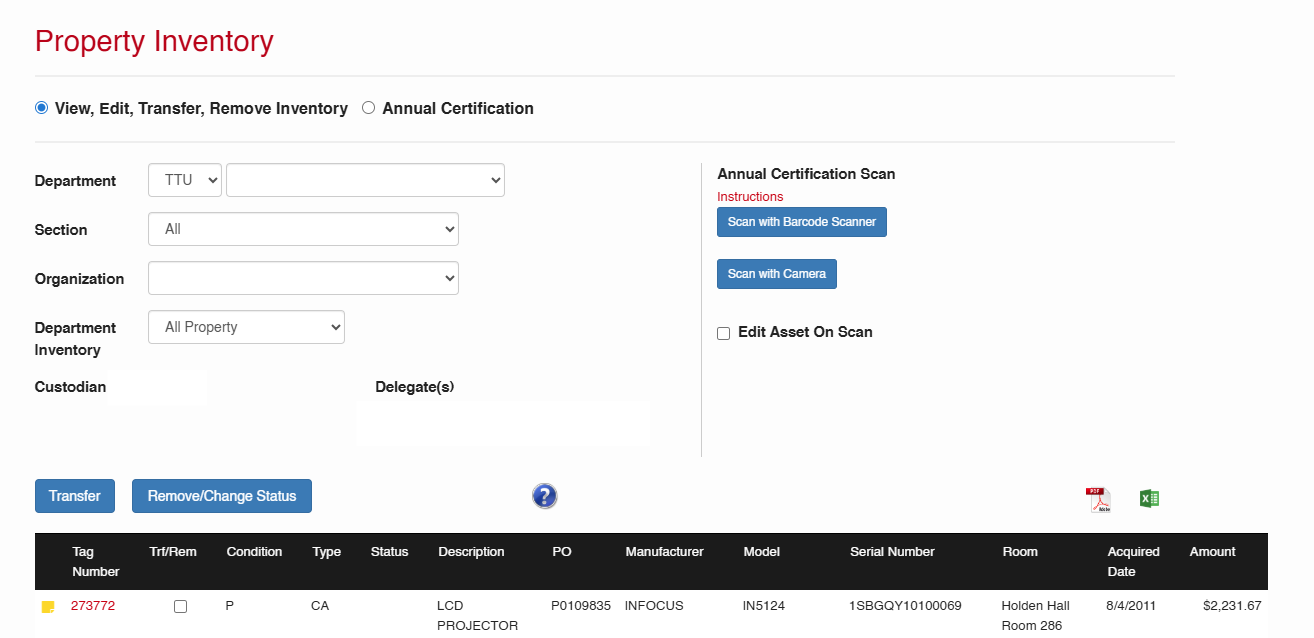
The Property Inventory System Homepage
The following homepage will appear.
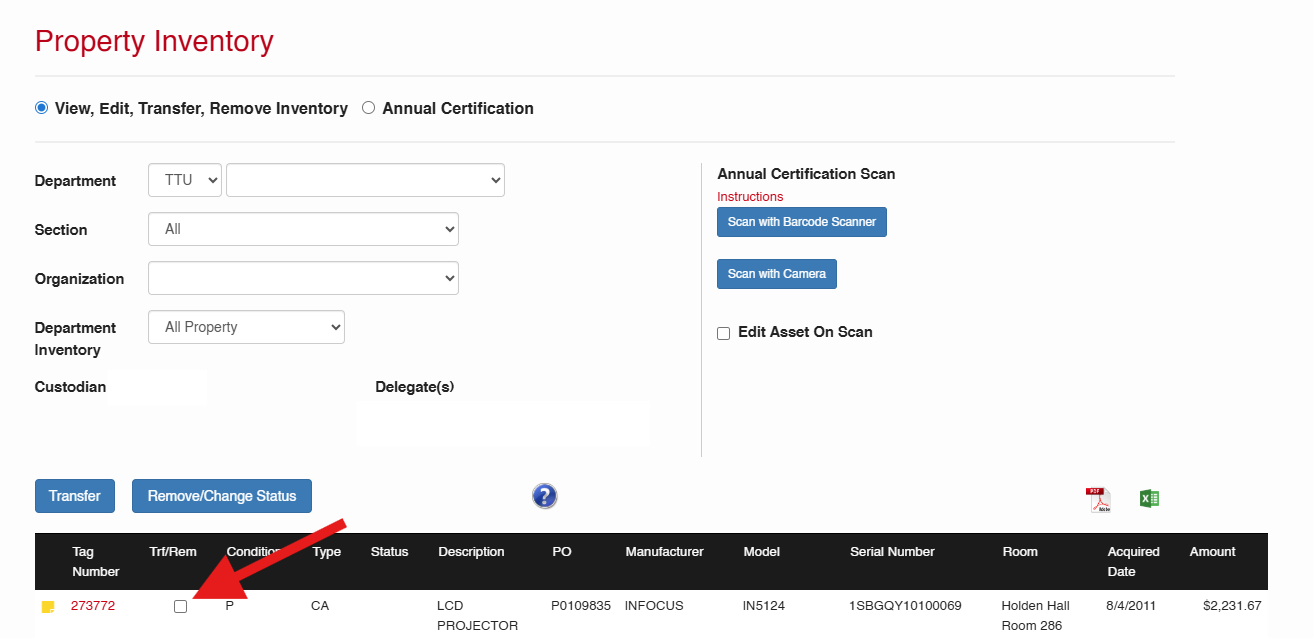
Select Item(s) to Transfer to Surplus
To transfer item(s) to Surplus, click on the box next to the item in the Trt/Rem column.
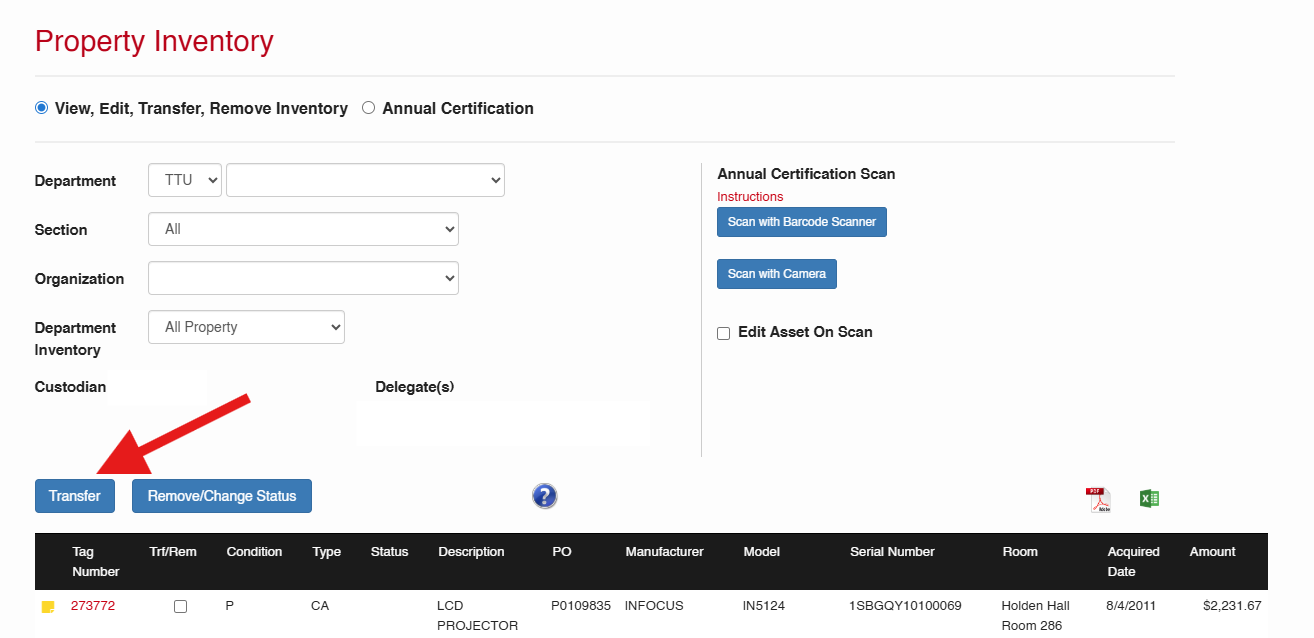
Once your item(s) have been selected, click on the Transfer button above the black header.
Transfer to Surplus
Once the Transfer button has been selected, the Transfer pop-up window will appear.
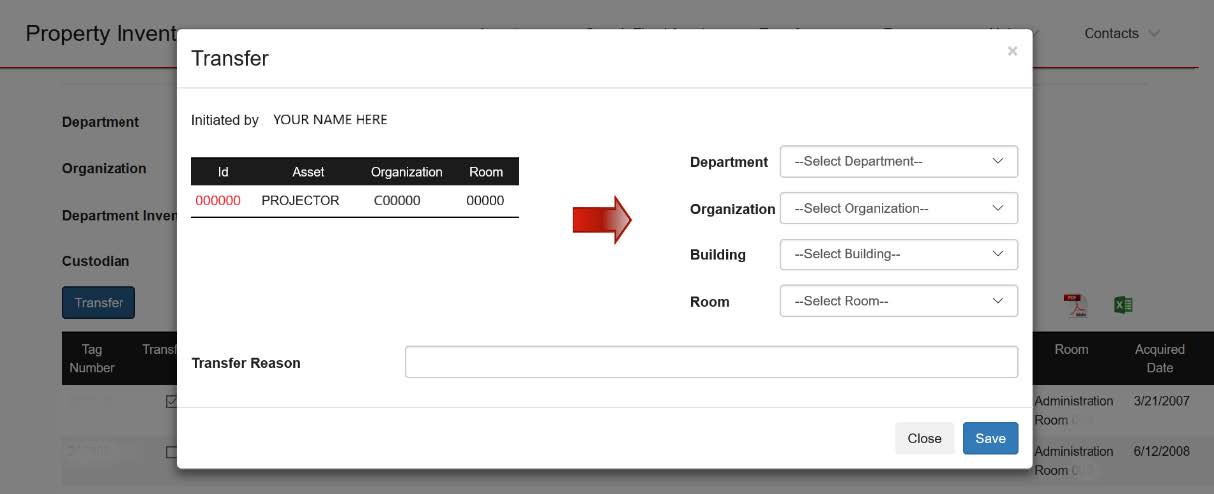
From the Transfer window select the following using the drop-down menu:
- Department: Ops Div Planning and Admin - C2006
- Organization: Ops Div Property Surplus - C20061
- Building: 0340 TTU Warehouse
- Room: TTU Warehouse Room 101
Transfer Reason: Type in the reason for the transfer
Once completed click on the Save button
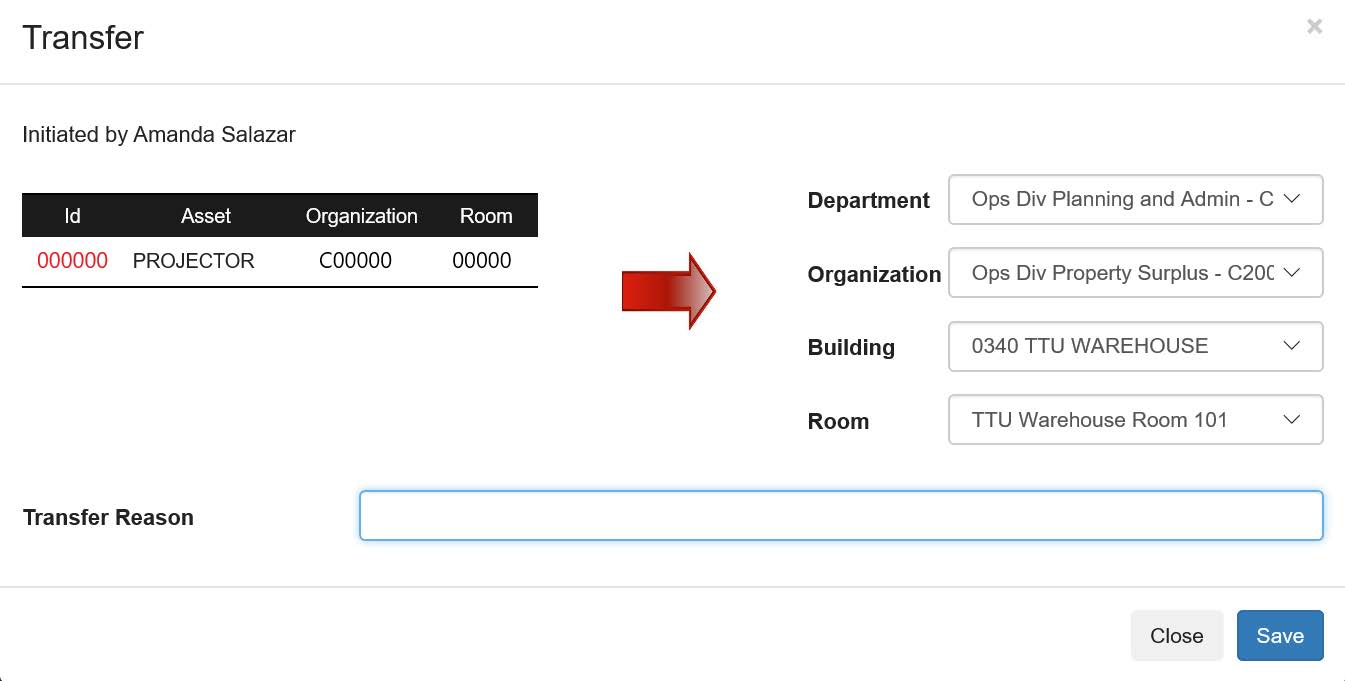
Transfer Details
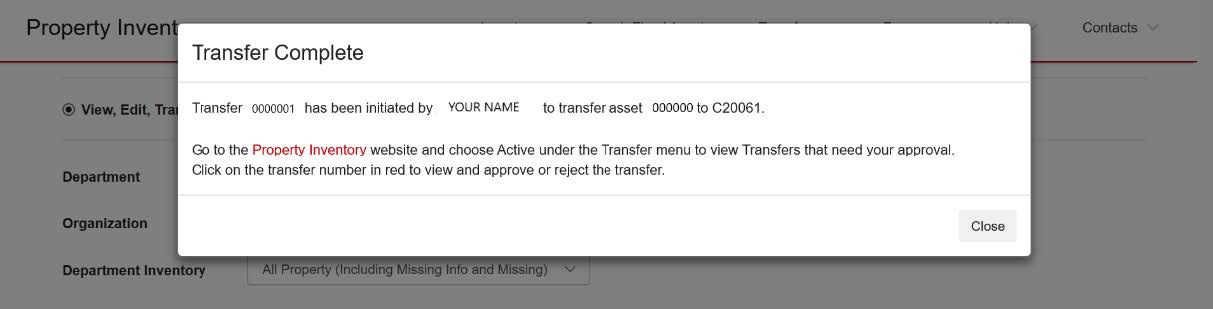
Once the request has been saved a Transfer Complete pop-up box will appear.
This will have the transfer number which confirms the transfer is complete. You will be able to track the transfer with the information provide from this window.
Transfer Approval
Log back into the Property Inventory System:
- Go to Raiderlink
- Log into Raiderlink using your Texas Tech credentials
- Select A&F Work Tools
- Select, Property Inventory System which is located under the Finance and then under Property Management headings
- Sign in with your eRaider verification code.
Select the transferred item to
- From the menu bar, select the drop-down arrow next to Inventory.
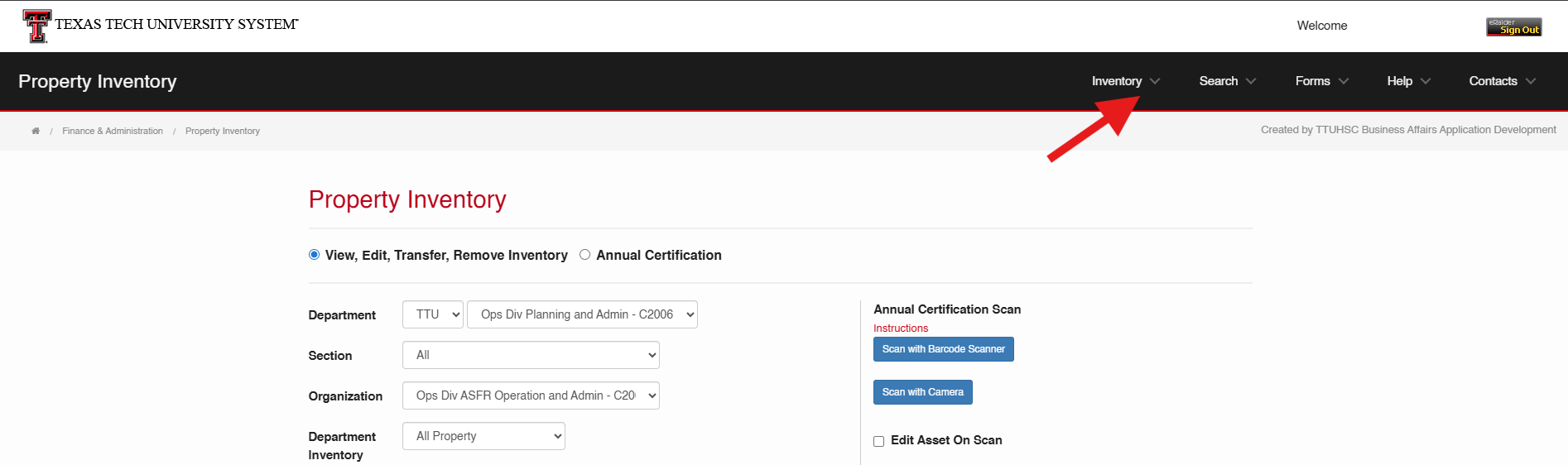
- Next, click on Transfers

- You will see a list of your active transfers.
- To view the status of your transfer, click on the red ID number.
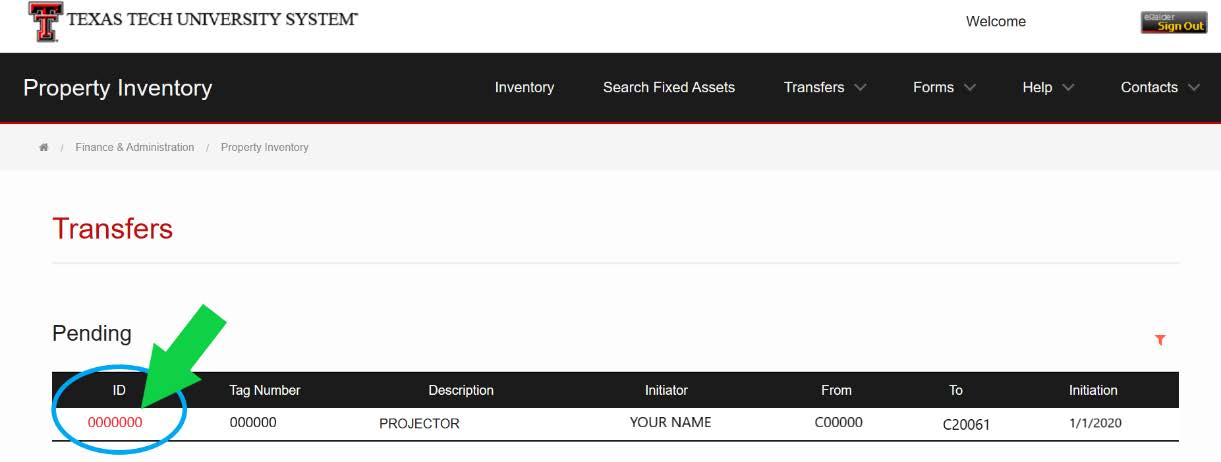
Once you have selected the ID Number you can view the status of your transfer approval.
If you have any questions, please contact Operations Surplus
Operations Division: Planning and Administration
-
Address
Mail Stop: 5091, Box: 45091, Physical Plant Building, 3122 Main Street, Lubbock, TX 79409 -
Phone
(806) 742- 4677 -
Email
operations@ttu.edu