
Creating Personal Dashboards in TechBuy
This training guide will assist you with creating a personal dashboard. A personal dashboard will allow you to have everything you use on a regular basis together in one page and it may also be set as your personal home page.
How to Create a Dashboard
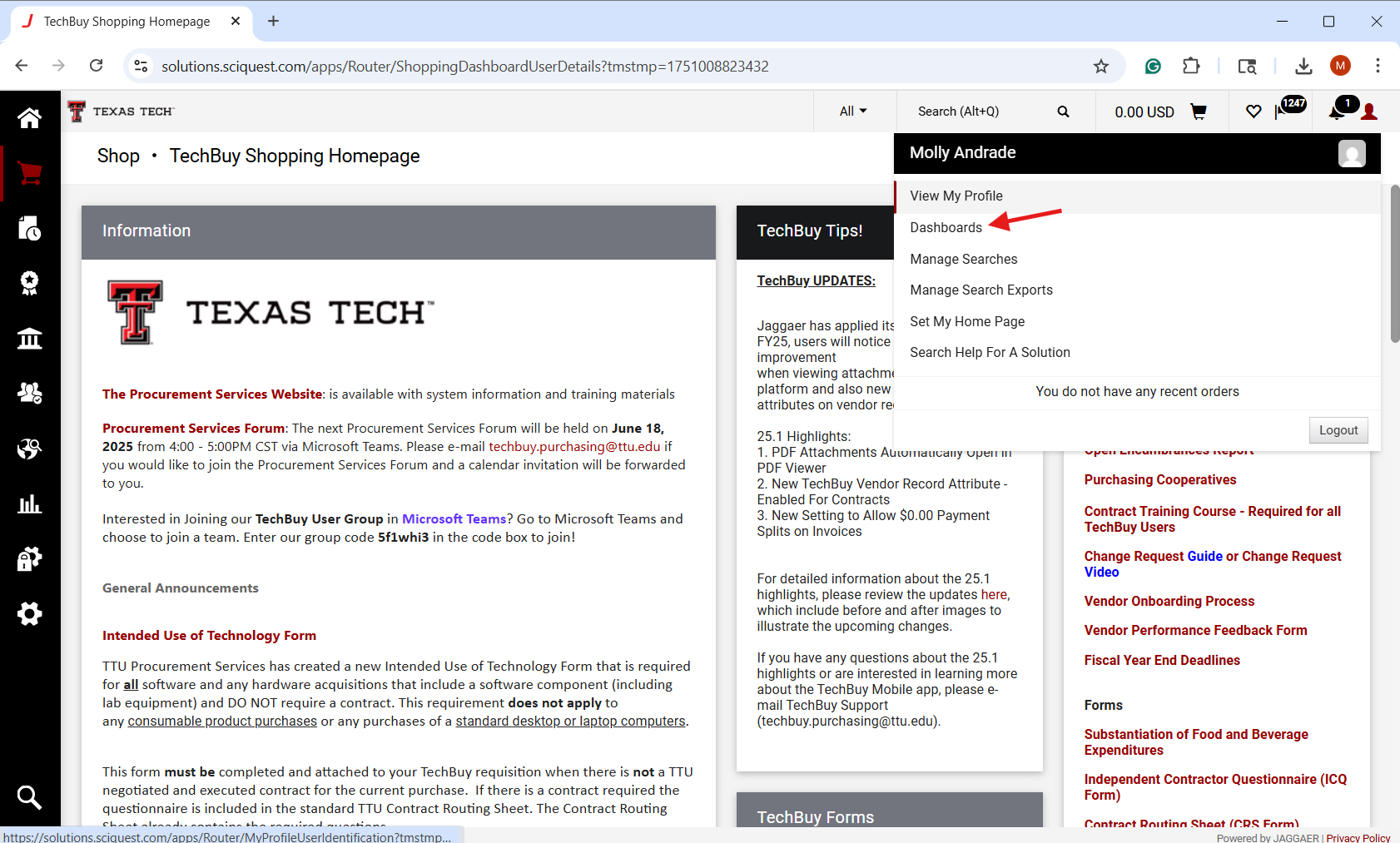
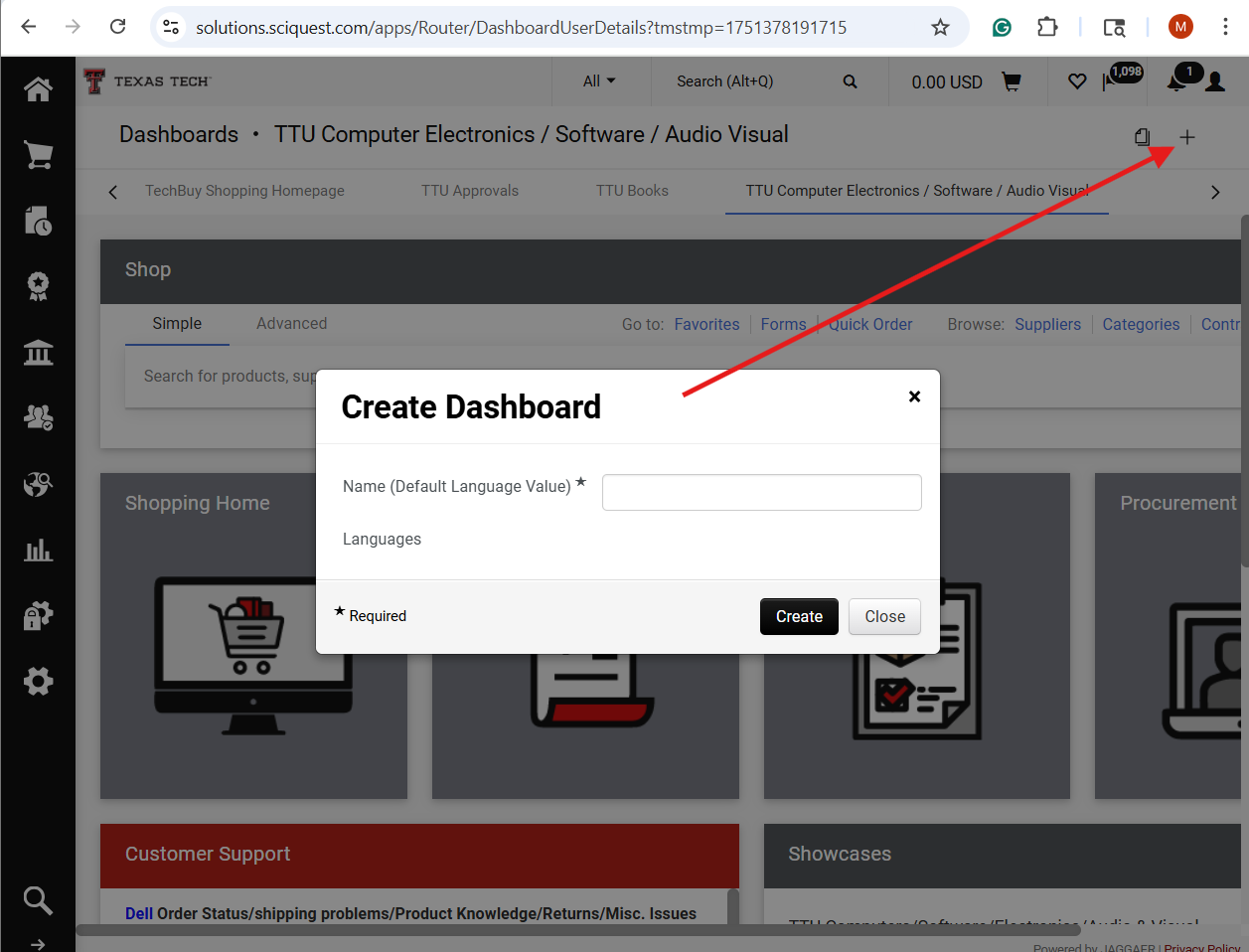
Users must select the "Profile" icon image in the top right corner on the screen to select the "Dashboards" webpage. This webpage, will allow users to create their own personalized dashboard. Simply select the "+" icon to create a dashboard. Be sure to give your dashboard a unique name.
Navigating the Dashboard Menu
Navigating the dashboard menu is simple: click on the arrows at the dashboard's end to move to other dashboards and find the one you want to select. You may also copy dashboards to start with a template and customize it to your liking.

Personalizing Your Dashboard
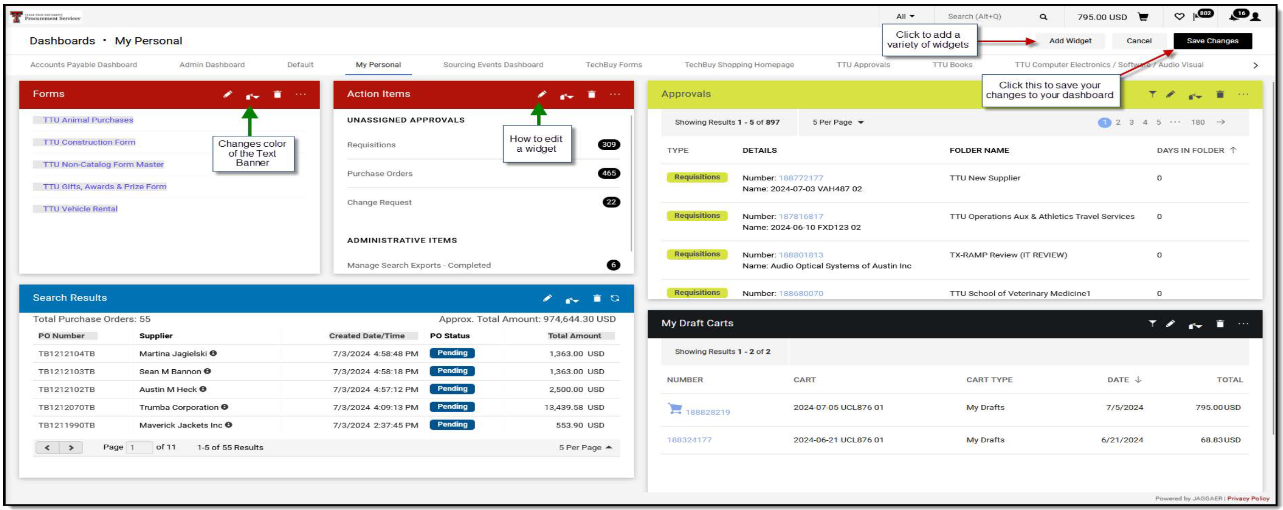
Now, you may choose the content and format for display by selecting the "Add Widget" button. A window will appear, providing "widgets" to be added to your dashboard. The widgets that are displayed are dependent on your assigned role in TechBuy. Some widgets can be customizable; others display present information.

Examples of Types of Widgets:
- Approvals: Links to various requisitions that are pending your approval
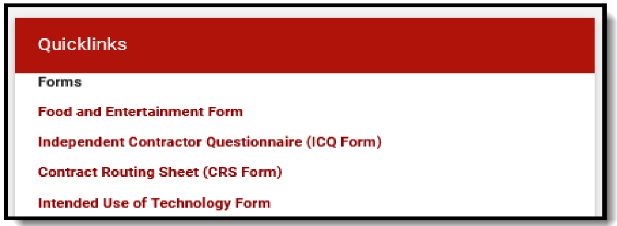
- Quick Links: Customizable links that can be used frequently (like a web browser bookmark)
- Draft Carts: A list of carts that are in draft/returned status
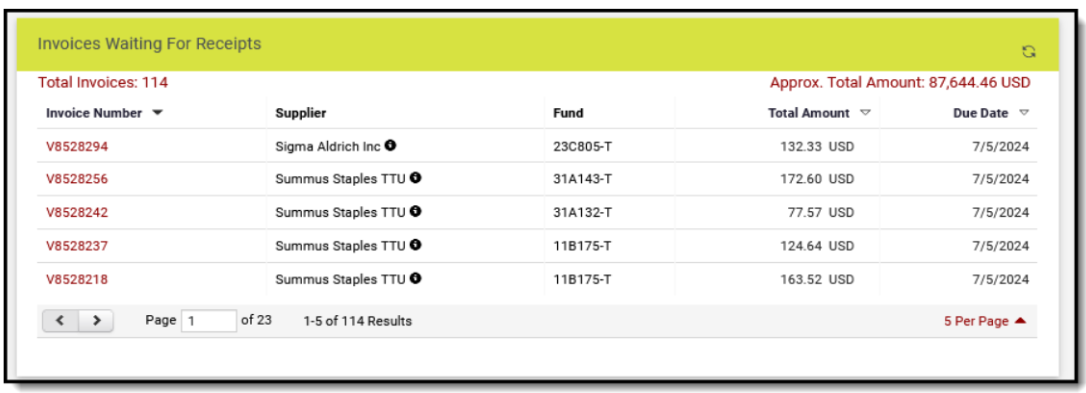
- Display Search Results: Any search that has been saved in TechBuy can be displayed and accessed at any time. Examples include My Pending Requisitions, POs Without an Invoice, My Department Orders, etc. If you're unsure how to access a saved search result, please refer to "Searching/Reporting in TechBuy".
Example of a Displayed Search Result:
Example of a Quick Links Widget:
Example of a Completed Dashboard:
Setting Your New Dashboard as Your Homepage
Once you have saved your changes to your dashboard, follow the screenshots below to make the dashboard your new homepage when coming into TechBuy.

Procurement Services
-
Address
Box 41094, TTU Plaza, Suite 408, 1901 University Avenue, Lubbock, TX 79409-1094 -
Phone
806.742.3844 | Fax: 806.742.3820 -
Email
strategic.acquisitions@ttu.edu