
Color
Alternative formats are available for this page: Download PDF | Download Word Doc
Please note: these resources are specific to Texas Tech's electronic thesis and dissertation (ETD) accessibility requirements
To pass the thesis/dissertation accessibility check:
- All text and informative figures (charts and graphs) in your final PDF document must pass a color contrast check of at least 4.5:1 for text and 3:1 for figures
- Figures should avoid the use of color alone to convey meaning (i.e. a line graph will need to use different styles (dotted, dashed, solid lines) as well as colors to differentiate)
- If complex figures cannot achieve the required ratio a long description must be added before or after the figure or in an appendix to clarify the figure
This ensures that content is perceptible to all users, regardless of vision impairment, or screen reader usage.
Color Contrast
The contrast between your text color and background color must be contrasting enough to be easily readable. To check your color contrast:
- Open a color contrast checker (such as WebAim contrast checker)
- Use the Foreground color picker to add the color of the text
- Use the Background color picker to add the color of the background
- Your contrast ratio needs to pass WCAG AA Normal text standards (greater than 4.5:1 for text and 3:1 for figures).
Figures
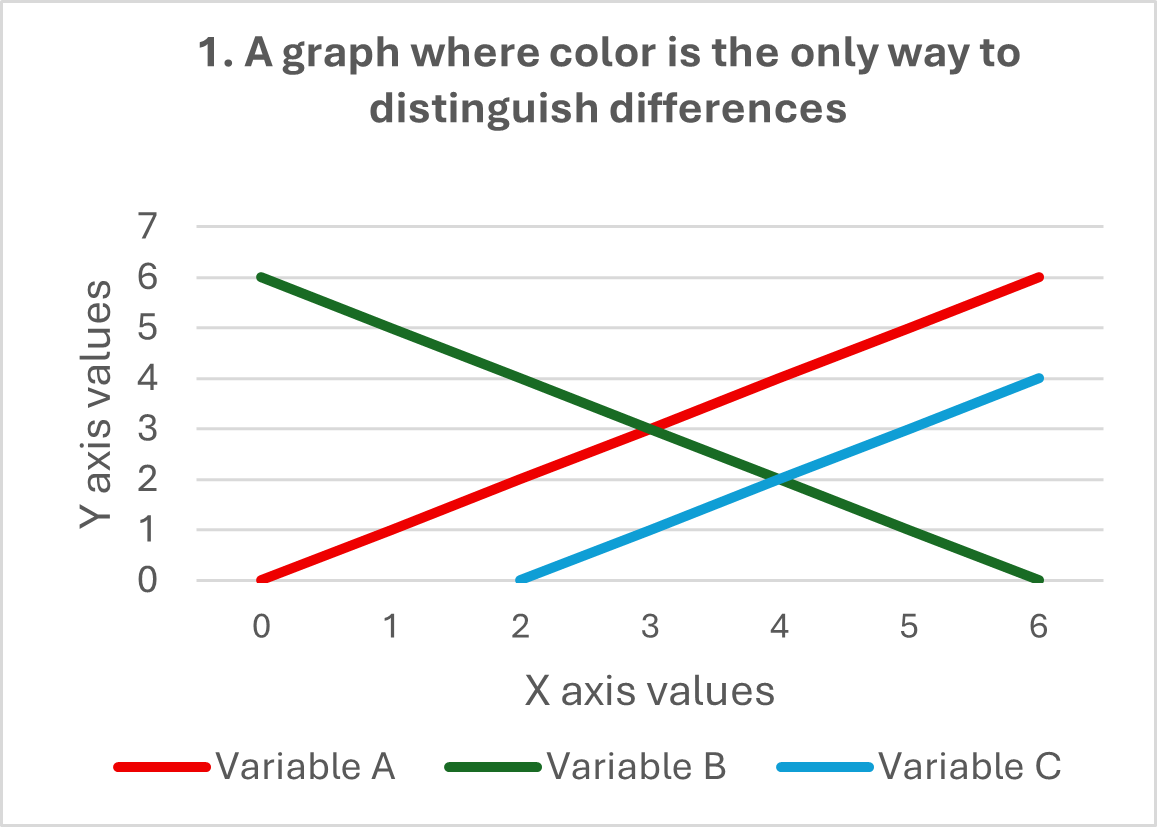
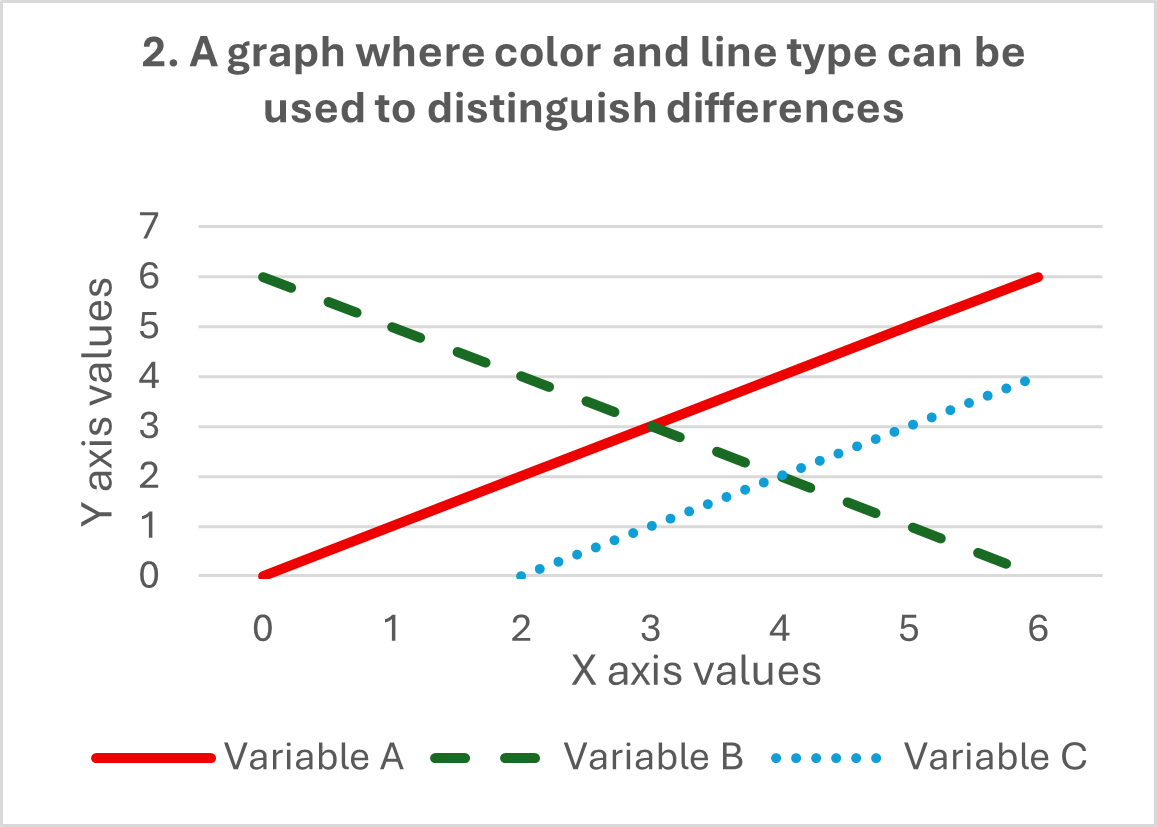
Avoid the use of color alone to convey meaning. In visual representations of data try and use different styles (e.g. dotted, dashed, solid lines) as well as colors to differentiate.
This is demonstrated in the examples below:
- The data in graph 1 is represented by three lines which can only be distinguished by their color (variable A is represented by a red line, variable B is represented by a green line and variable C is represented by a blue line)
- In contrast, the data in graph 2 can be distinguished by both color and line type (variable A is represented by a red solid line, variable B is represented by a green dashed line and variable C is represented by a blue dotted line)
Note: If complex figures cannot achieve the required ratio, or if you cannot avoid the use of color to convey meaning, a long description must be added before or after the figure or in an appendix to clarify the figure.
For more information visit Texas Tech's Digital Accessibility Website for trainings and resources, or schedule an appointment at the Graduate Writing Center!
Part of the Electronic Thesis and Dissertation Accessibility Resource for Microsoft Word series compiled by Allison Belisle, Graduate School, and Rebecca Bruning and Caroline Hetherington, Graduate Writing Center, a unit of Academic Innovation and Student Success, under the Office of the Provost.
Graduate Writing Center
-
Address
Weeks Hall, Third Floor, 2508 15th St., Lubbock, TX 79409-5033 -
Phone
(806) 742-2476 -
Email
gradwritingcenter@ttu.edu