Texas Tech K-12
Zoom Organizer/Teacher
Step 1:
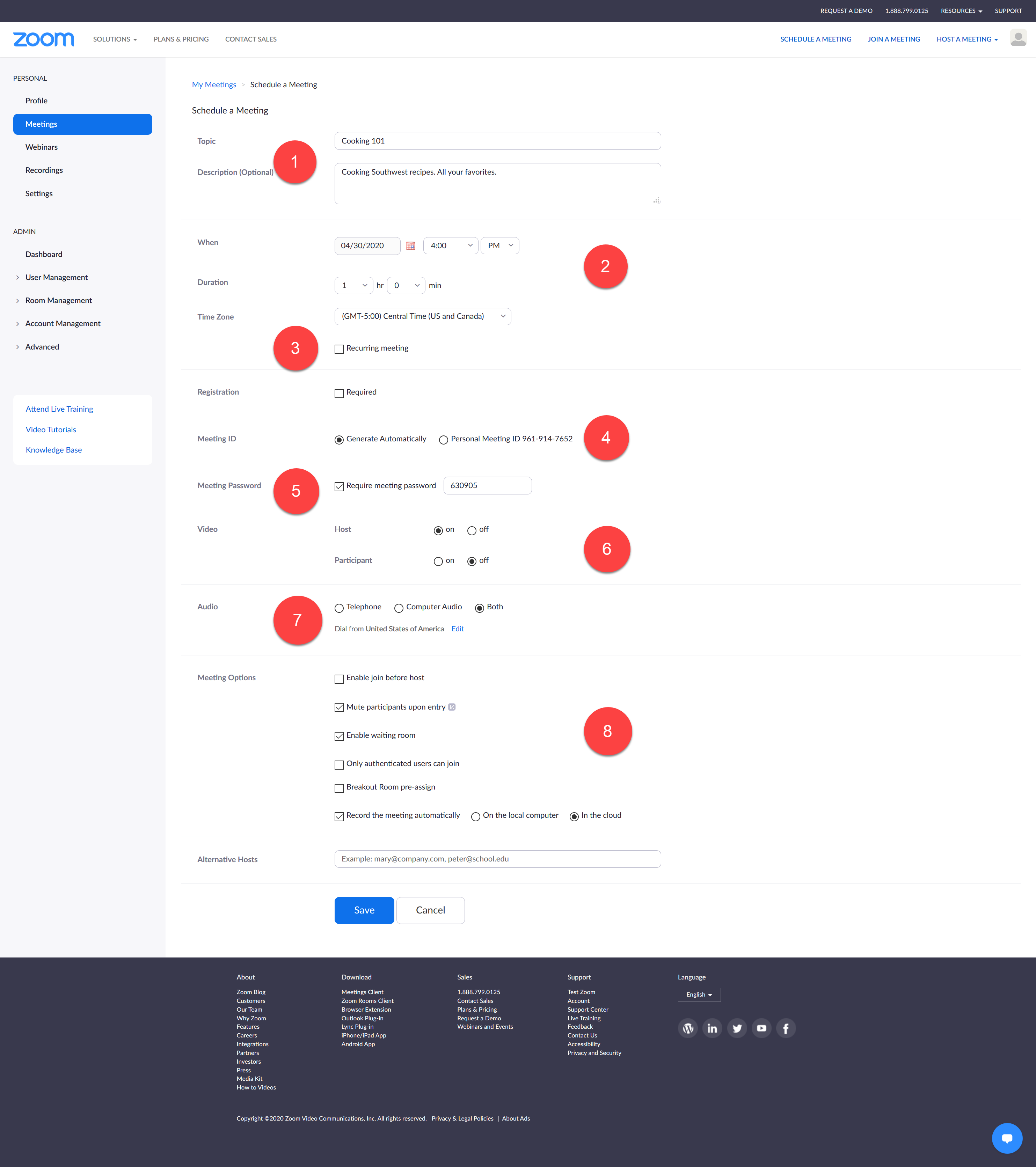
- Course Title and Description.
- Date Time Duration and Time Zone.
- Is your class recurring?
- Keep default. Let Zoom generate a new ID for each invitation.
- Require a meeting password.
- Turn on Video only if you need camera access.
- Use Both as this will allow the most flexibility.
- Recommended Options.
Step 2:
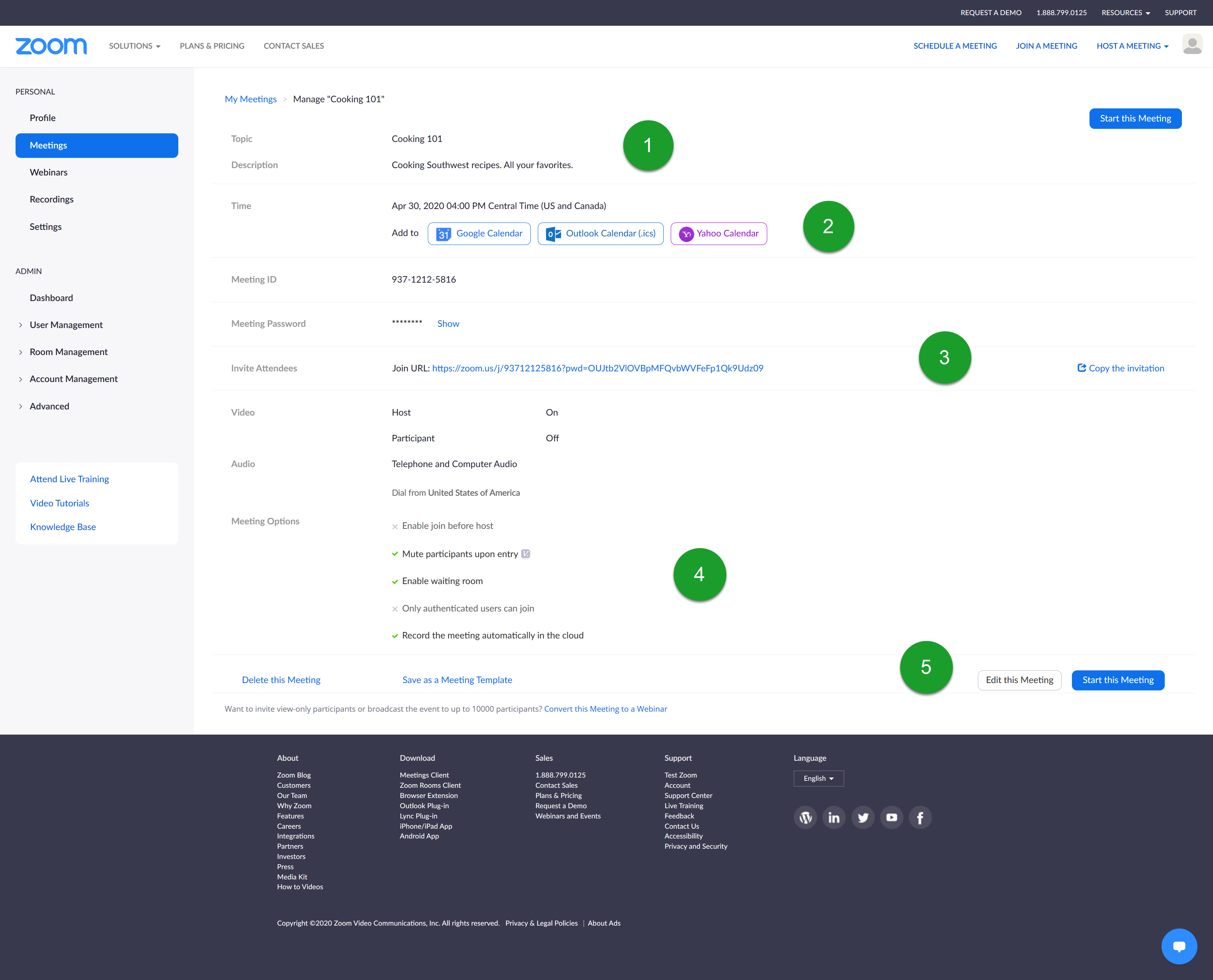
- Review Title and Schedule.
- Add to your calendar.
- Copy Invitation to send via email.
- Confirm all settings.
- Start meeting or Edit Settings.
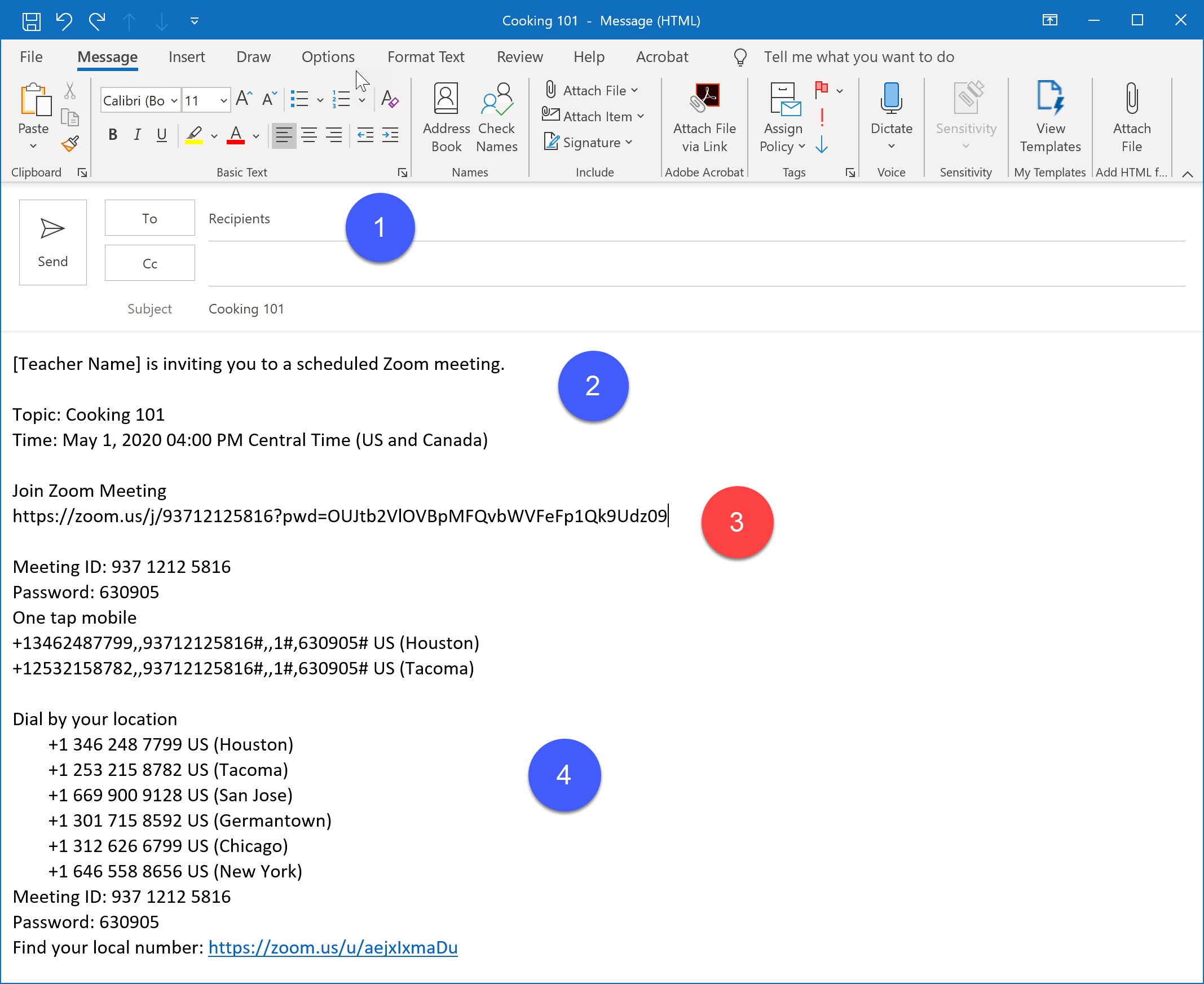
- Paste Invitation into any email program and customize.