
How to Add ePAF Proxies

- From raiderlink.ttu.edu, click the TTU Employee tab.
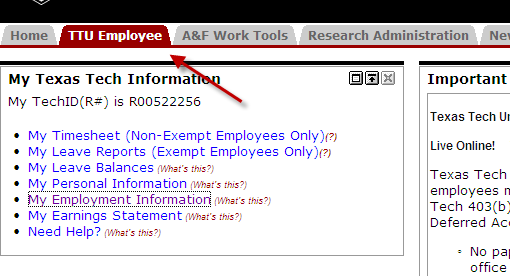
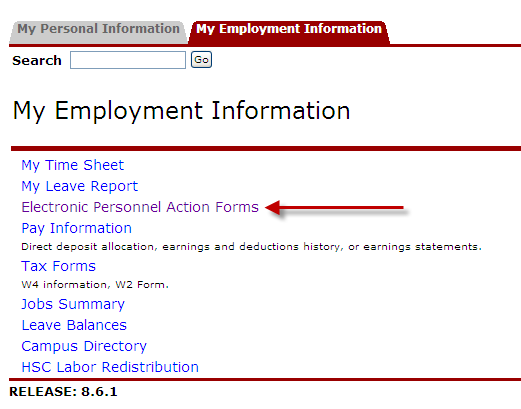
- Click, Electronic Personnel Action Forms.
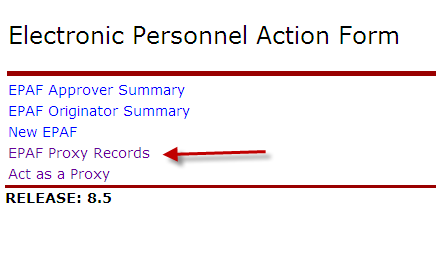
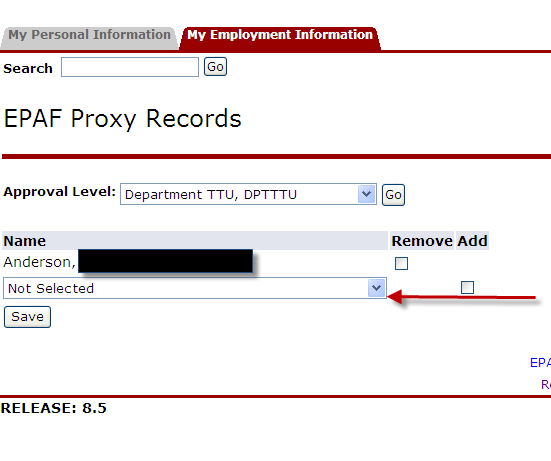
- Click, EPAF Proxy Records.
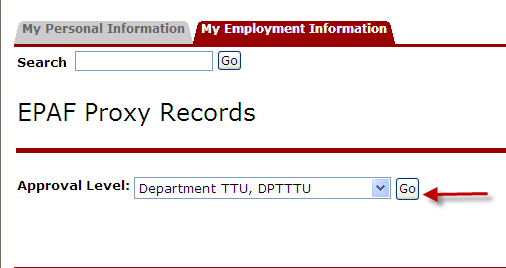
- Choose the Approval Level from the drop down list and click Go. (Example: Department
TTU, DPTTTU)
- Select your proxies from the drop-down list and click, Add.
Human Resources
-
Address
Texas Tech University, 2518 15th Street, Lubbock, TX 79409 -
Phone
8067423851 -
Email
webmaster.hr@ttu.edu